Webinar Analytics Playbook: How to Build a Smarter Follow-up Strategy with the Right Data
Granular engagement data is the secret ingredient for sending targeted follow-ups and knowing what to repurpose. Here’s how we use it.
June 18, 2026
Topic tags
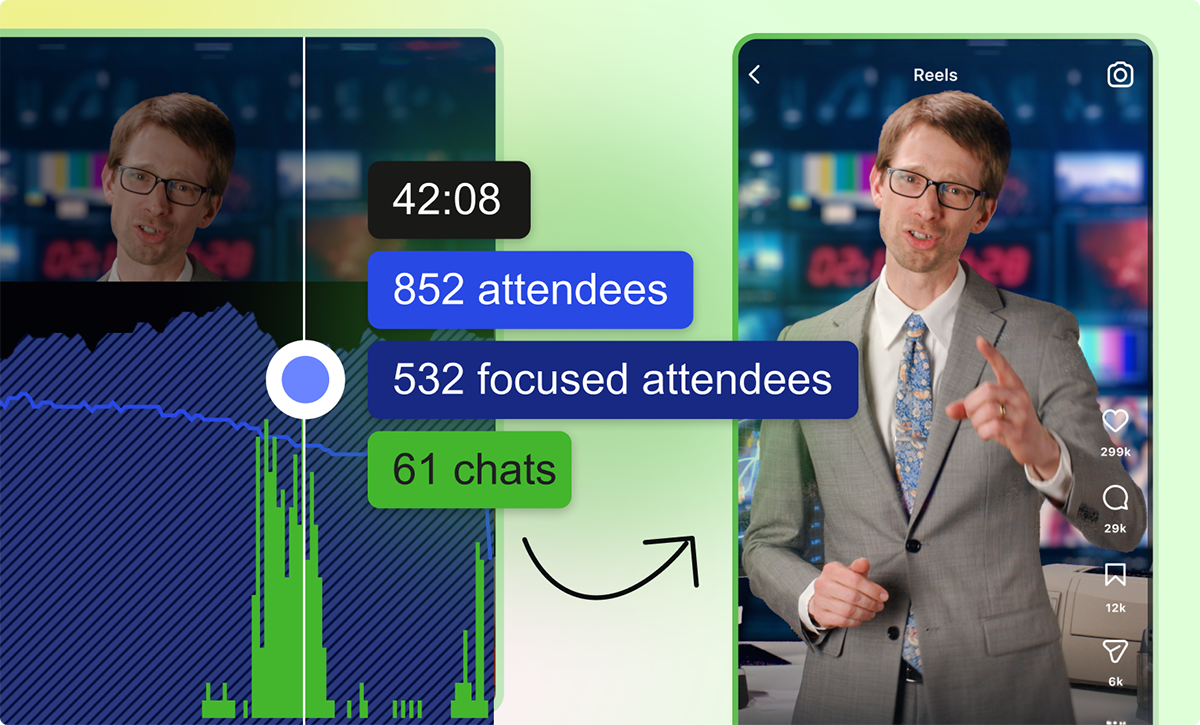
Webinar analytics aren’t just a report card. They’re also a goldmine of data you can use to understand what your audience cares about and what to do next.
Most teams send one follow-up email and move on. But when you know exactly how your audience behaved during the event, you can send targeted follow-ups to different groups and repurpose the moments that earned their attention instead of just guessing.
Wistia’s granular engagement data makes that possible for us, and we use it after every webinar.
To show you what that looks like in practice, we’ll walk through how we did it for our most recent State of Video Live Show.
Before the webinar
1. Plan the pieces that will give you better data later
Most webinar post-mortems start too late. The data you can collect during a webinar depends entirely on what you build into it beforehand. If you wait until after the event to think about what signals you want, you’ve already missed your chance to collect them.
For this webinar, we wanted to understand which trends our attendees cared about, what follow-up content would be useful, and which attendees might be worth a warmer sales conversation. So we planned it with those signals in mind.
That meant setting up:
- Polls on what people were working on or struggling with
- Calls to action (CTAs) to drive people toward the State of Video Report
- Q&A to capture specific questions and topic interest
- A replay plan so we could keep learning from on-demand engagement
- Clip-worthy moments we could repurpose after the event
After the webinar
2. Find your most engaged attendees
Attendance alone doesn’t tell you much. You want to know exactly how engaged your attendees were during the event so you can send targeted follow-up emails and find all the warm leads for your sales team to get in touch with.
Someone who attended but missed part of the event needs one kind of follow-up. Someone who watched most of the event, answered a poll, and clicked on a CTA needs another. That’s the kind of nuance you miss when you’re only looking at attendance.
Wistia’s granular engagement data gives us exactly that. We looked at signals like:
Wistia’s focused attendee rate feature was especially useful here. It tracks how many attendees have your live event browser tab open and visible on their screen at any point. That means we could tell the difference between someone who was actively watching and someone who was listening in the background.
3. Segment your email list
Once we understood how our registrants engaged, we split them into a few groups. The goal wasn’t to send everyone the same replay link with a slightly different subject line. It was to make the surrounding message feel relevant to what they did.
We landed on three segments:
- Attended and highly engaged (watched, clicked, asked questions, or answered polls)
- Attended but lightly engaged (showed up but may have missed parts of the event)
- Registered but didn’t attend (interested enough to sign up, but didn’t make it live)
4. Figure out what your audience actually cares about
One of the best parts of a live webinar is that your audience tells you what they’re curious about in real time. We looked at poll responses, chat activity, and Q&A to answer questions like:
- What questions came up more than once?
- Which topics sparked the most conversation?
- Which takeaways deserved more context?
- What moments would make good clips?
- What should we have explained better?
Together, those signals gave us a ready-made content brief for follow-up emails, social clips, blog posts, and sales enablement. Any topic that our attendees asked a lot about became a follow-up email or blog section. Any stat that got strong engagement became a social clip.
And the best part? We didn’t have to schedule a single brainstorming session.
5. Send follow-up emails tailored to each group
With our groups defined and our content signals in hand, we sent a different email to each one.
- For our most engaged attendees, we referenced the topics they’d shown interest in and pointed them toward a logical next step, like a related resource, product page, or sales conversation.
- For lightly engaged attendees, we included key takeaways and the replay link so they could catch anything they missed.
- For registrants who didn’t show up, we led with the replay and a link to the State of Video Report for those who preferred to explore at their own pace.
After the replay goes out
6. Find the moments that resonated most
Your webinar replay can be the starting point for a whole batch of useful follow-up content, but not every moment needs to become a clip, blog post, or ad. The trick is figuring out which ones earned the extra mileage.
To do that, we used Wistia heatmaps to look for moments that viewers rewatched (and rewatched again). Then we turned those moments into social clips, emails, internal recaps, ads, and follow-up blog content.
7. Track what moved the needle
Webinar analytics shouldn’t just help you recap what happened. They should also give you the insights you need to make your next webinar better than your last one. That means digging into performance.
We tracked on-demand views, follow-up email performance, report downloads, demo requests, and any new sales conversations the webinar sparked. We also tracked which clips performed best and which topics kept driving engagement after the live show.
That data helped us answer questions like:
- Which follow-up emails drove action?
- Which clips or replay moments performed best?
- Which topics kept people engaged after the event?
- Which audience segments showed stronger intent?
- What should we change for our next webinar?
The answers shaped our plan for the next one, and they’ll do the same for yours.